Beevision
Robert
Repository for the HoneyBee Vision Darwin Project (2013-2014)
This project is maintained by Robert Chisholm & Adam Petterson
3rd May 2014
Calibration.
Last night after discussing it in the Kroto lab with Petty, I implemented the necessary changes to produce the calibration application.
Users should open their two camera streams, and press the configure button to input the necessary settings for how they wish to configure their cameras. These values are then used to calculate the positions for the cameras to share an identical focus.
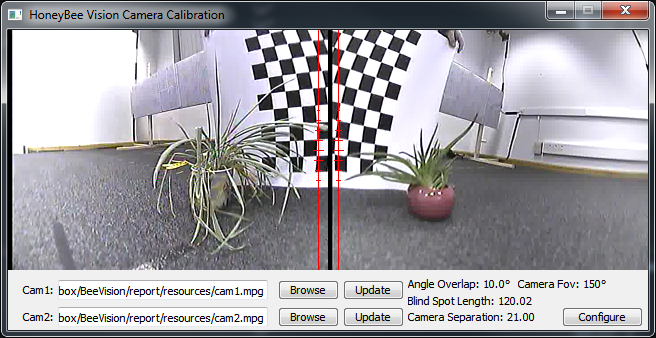
In the above image you may notice a black line down the side of each video, this is in the saved video file so I'll have to check to see if I can spot the cause in the encoding process before our presentation.
13th April 2014 - Part 2
Camera specific.
This morning I reduced the UI size to fit the natural frames of 320x240.
Also went ahead in extending the pixel expansion, so it could be executed using a static list rather than checking suitable translations on the fly. In doing this I noticed a mistake both myself and Petterson had made in our assumption of pixel translations for the right hand camera. We used the formula width-x to calculate new x coordinates, however due to 0-indexing, this meant that any pixels where x is 0, became out of bounds. The solution was simply to reduce all x coordinates by a further 1.
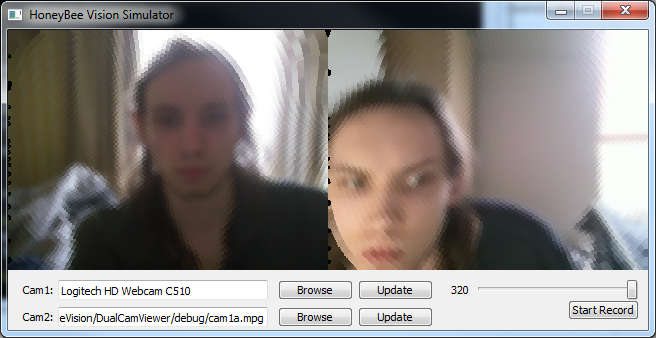
Above is the current state of the client with static pixel expansion. In completing this I noticed an interesting effect, when there was a bright light from my bedroom window in the centre of the cameras focus, this memory usage and cpu usage increased upto 13-14% and frames started being dropped. If however I move closer to the camera or place my hand in front I am able to reduce this processing to 5-6% and frames stop being dropped. I'm unsure of the exact cause of this, however I expect it is to do with the cameras driver requiring more processing when it has to boost the brightness, causing a lower framerate. As this is just a webcam not the same cameras we will be using the in the lab, it will be necessary to check whether this is relevant to them aswell. Either way it looks like It will be useful to refactor the current code to see if there are any points whereby we can further improve performance.
12th April 2014 - Part 1
Taking shape.
I wanted to attempt to expand the pixels dynamically to fill untouched space today, in doing this I realised my gaussian pixel selection method was severly bugged (I was iterating, but not basing my selected pixel on the iterated variable).
As I am doing dynamic pixel expansion, we began dropping frames which clearly meant we are eating too much time. To temporarily fix this I reduced the frame size back down to 320x240 (the lab cameras output at this resolution but the webcam I have been testing with outputs at 640x480). This stopped the dropped frames, however we WILL need to make the pixel expansion static from a list of translations to meet this weeks milestone. Additionally we will need to adjust the UI to fit the newly sized frames.
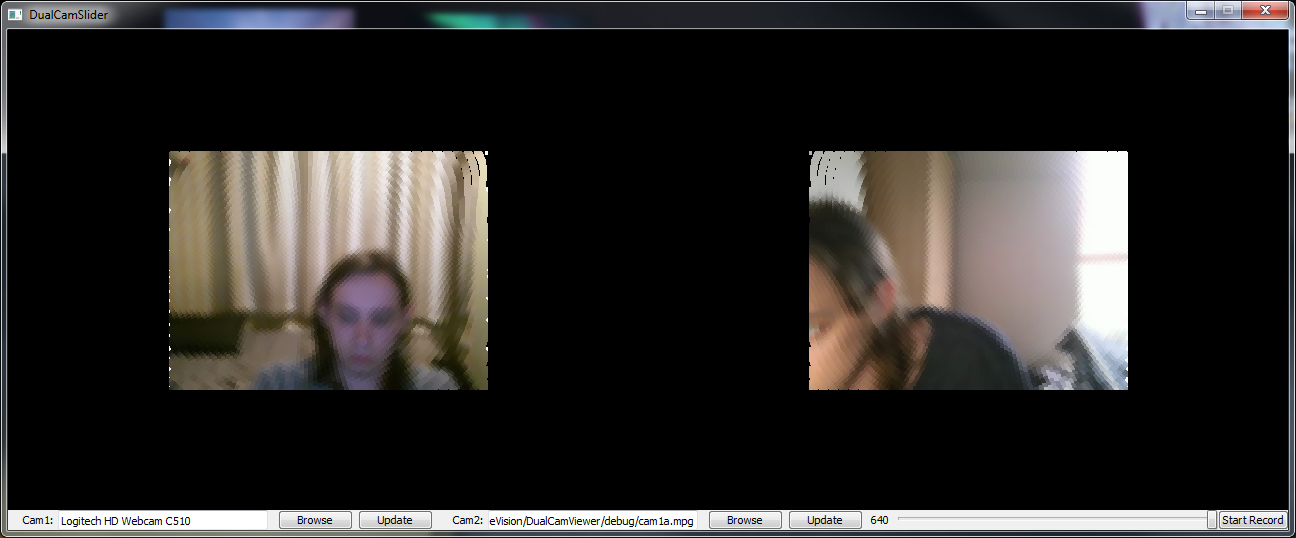
Above is the now improved ommatidia display and it now looks alot more like what we saw in some papers.
6th April 2014 - Part 2
Two fixes to the initial ommatidia model.
Before packing todays work away, I decided to check how it would appear with a video playing as the second camera. Upon trying this I found that the second cameras ommatidia model was failing, producing no output.
As this issue was withing Pettersons model I was unsure about fixing it so just directed him to the issue, he was soon able to direct me to the line causing the problem.
In the process of fixing this, I also noticed that the width being passed to his ommatidia model was 480, I was able to track this back to him passing the width and height to his method in each others place. This has also fixed the issue of the ommatidia model not filling the image area.
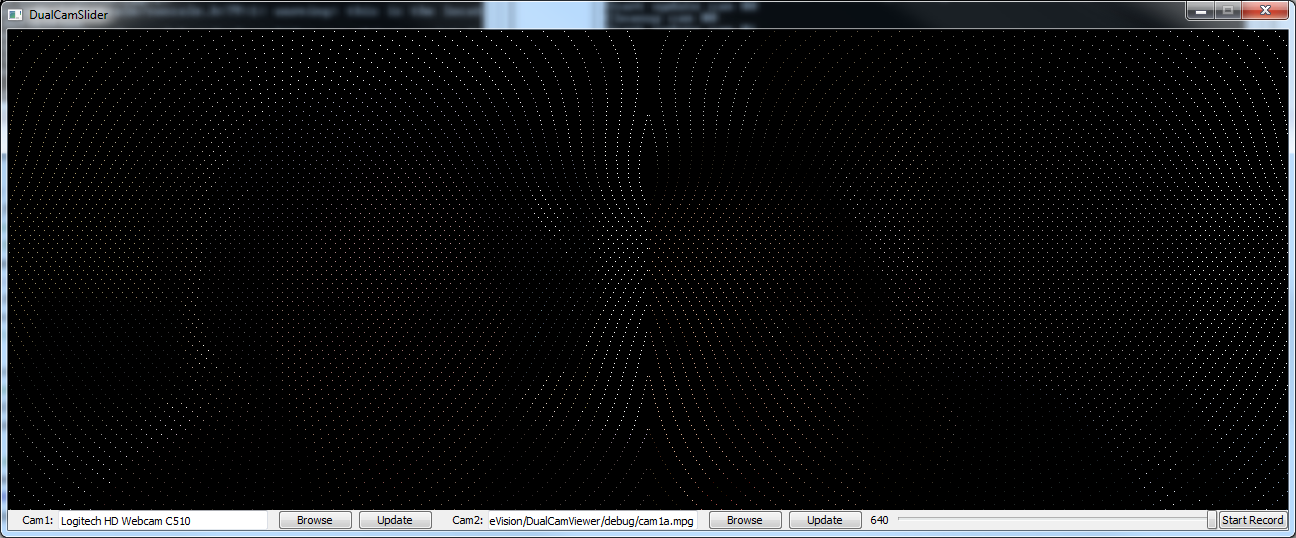
Above is the now improved basic ommatidia model.
6th April 2014 - Part 1
Initial ommatidia model renders!
Earlier this week after our pre-easter meeting we opted to setup a timeline of steps towards the completion of our project. This can be found here.
As part of this weeks step, we needed to get the initial ommatidia model selecting pixels from the input image. With a bit of work applying Pettersons model that he has generated in Python we were able to get the pixels selected properly, producing a very basic image that can still be identified.
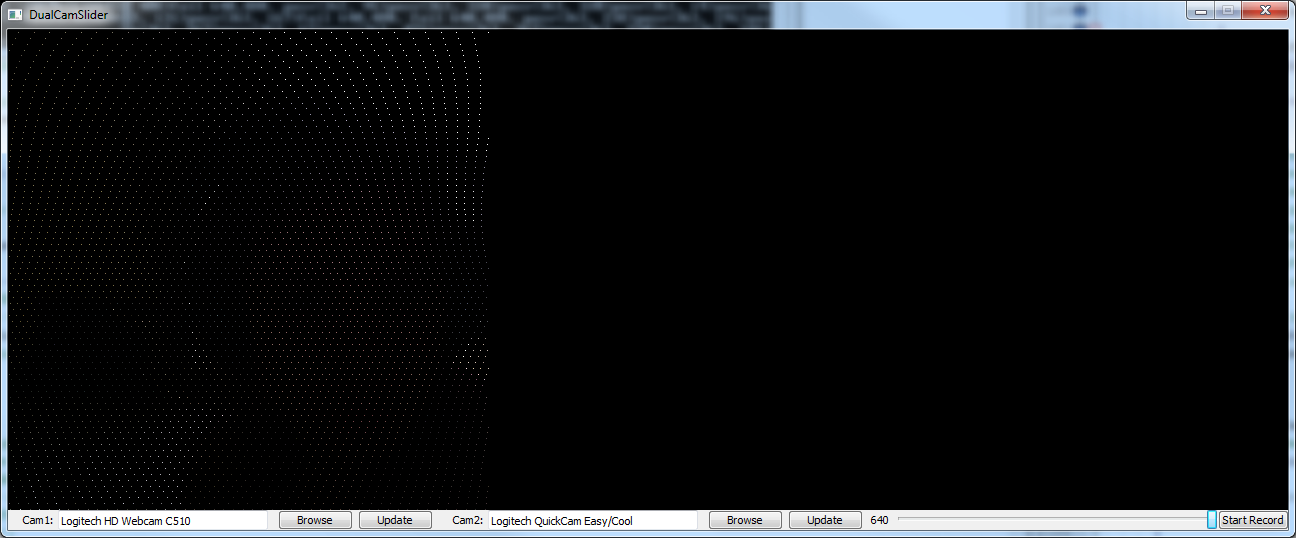
In the above image, it can just about be seen that there is a silhouette of someone wearing headphones. The image is best viewed fullsize, and it should be clear that I did not have a second camera connected at the time.
As part of next weeks work we shall work towards selection these ommatidia pixels using a gaussian matrix, and rendering the pixels larger and offset to increase the visibility of the image.
10th December 2013
The capture cards work..with NTSC
Tonight I decided to spend a few hours fixing the region encoding issue, eventually I found the solution and it came down to passing the 'standard' option in an AVDictionary to the initial avformat_open_input method. Weirdly when i read the details about this method in comments of the headerfile avformat.h, it stated that parsed options would be removed from the dictionary, and provided some code for detecting any unused options. On execution in windows this code then aborted saying that the option standard wasn't used, eventually I removed this and made a bunch of other changes and tried it in my Arch Linux VM to which it worked when I switched the region on my iPod.
I've commited the fix, confined to the LINUX compile def macro so not to mess with any windows compiles (this locks it to NTSC, so all the previously working devices will likely fail to work without adjusting the source), for the time being i'll assume that the 'standard' parameter isn't available with DirectShow. This isn't really my first issue with DirectShow, when trying to load the capture cards through DirectShow I recieve a "Could not run filter" error through ffmpegs runtime warnings, I've yet to find the time to trace this one down if it can even be fixed.
In addition to this, I've spent alot of the week slowly dredging through the literature review, I've currently got around 1,200 words towards the 2,500 I should really be putting in towards the interim report draft we'll present wednesday.
3rd December 2013
The capture cards work..with PAL
After making a few final tweaks to the code this morning (fixing a segfault on linux, windows is happy to free unused pointers, linux not so much and some char* that were being deallocated early), I was happy enough with it to commit it to the GIT. There will need to be some siginificant refactorring done to this over christmas so it can be more effectivley used for our future filters/grid decomposition work.
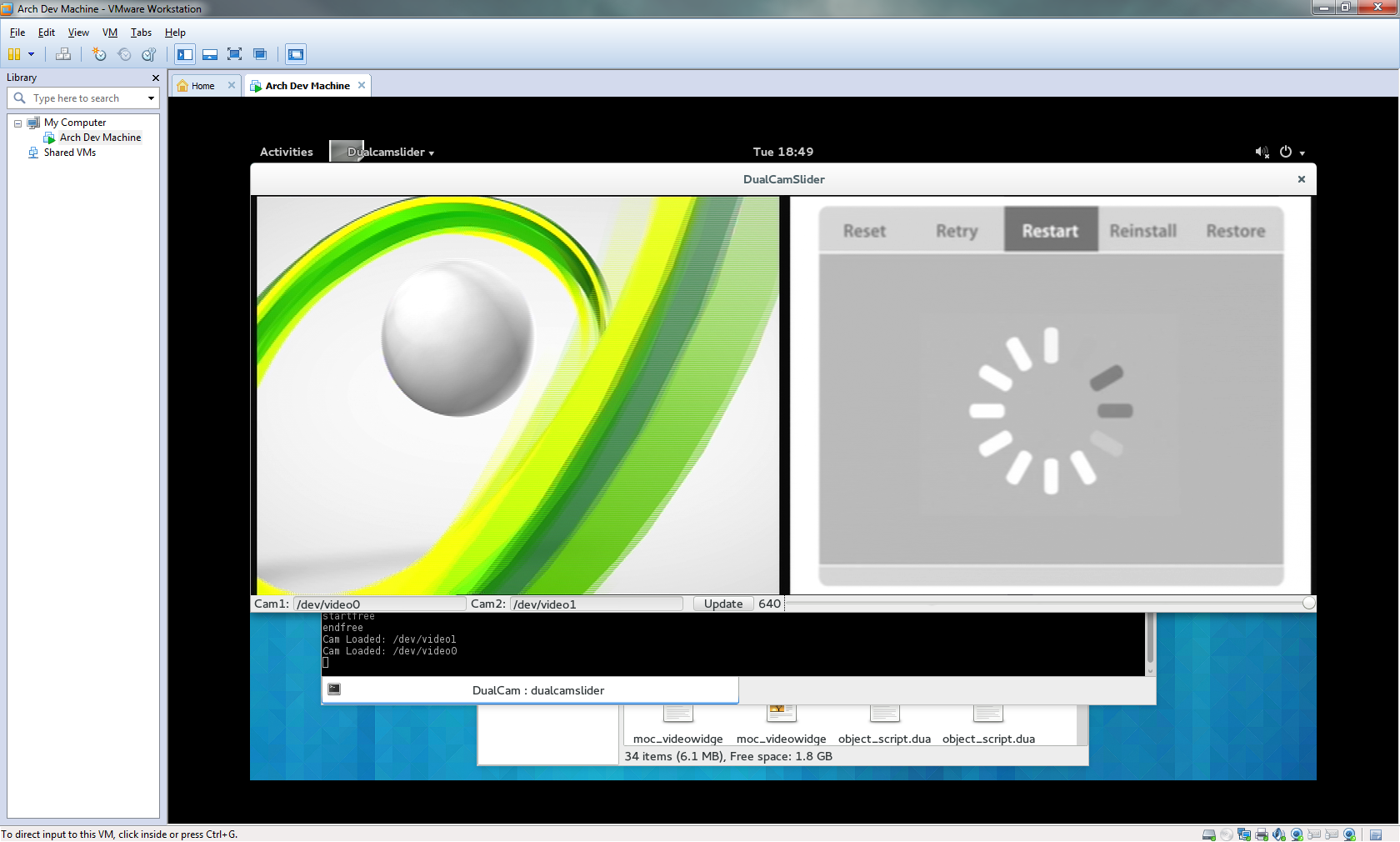
I even had time to track down 2 AV ouputting devices within my house (really becoming hard to find with everyone opting for composite or hdmi) and test them within the capture cards(seen above). The xbox worked fine, however the iPod only worked when outputting via PAL, when switching to NTSC it crashed the program, when starting with it in NTSC mode the capture was solid black. Let's hope the cameras output with a format it supports, otherwise we might need to carry out some further tweaks (the program detects the format of the image from what the device tells it, presumably the capture card assumes PAL, and we may need to override this if the cameras use a different format.
P.S. I still haven't looked into how to show 2 different devices of the same name using DirectShow, I'm hoping that we'll stumble across a different format to the "video=My Device String" that is currently being utilised.
2nd December 2013
Live Cameras on Linux!!1one
I spent Sunday (1st Dec) getting the cameras to render live to the form, the process was surprisingly simple. Initially I was trying to init the cams in the main thread, then send their rendering to seperate threads, this was just crashing when the new threads tried to grab any data from the camera. With ffmpeg being C, no exceptions, so I haven't a clue of the cause, probably something not being thread-safe. Eventually I decided the way to fix this would be just send all the necessary details to the thread, and init/render the camera like that, it worked. Next step was to fix the memory leaks, it was pretty simple to identify the cause of the 2-3 leaks, primarily I was losing ~30mb of memory everytime taskmgr updated, this was from not releasing the frame packet after use (the ffmpeg tut i followed only released it after the render loop ended, so possibly a library change since). The other fixes were simply to move the definition to outside the loop and reuse the scaling object, rather than redefine it every iteration. There's probably a fair bit of cleanup I should do to the code, but it actually works now.
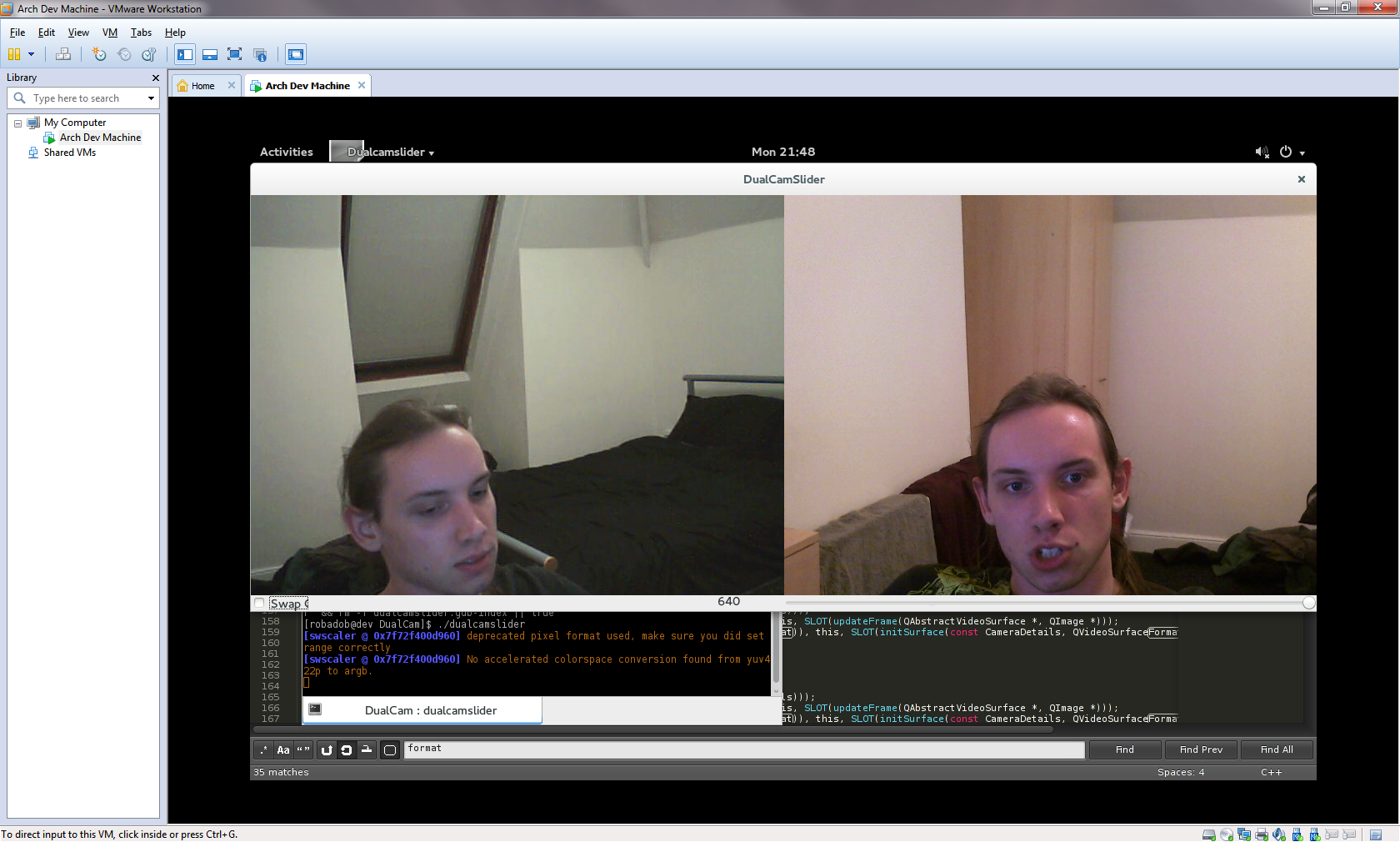
I then spent this evening 'porting' it to my Arch Linux vm, it was actually far easier than I would have expected. Most my trouble was caused by installing a text editor (I'm pretty new to AUR). Once 'ffmpeg' & 'qt4' were installed, I simply had to update the paths in the QT Project file, and adjust the driver/camera details in the code (In a later release I'll create seperate QT project files, that pass environment specific compiler directives to save making the changes everytime. From there it compiled second time (first time I got an issue about gdb missing, so I installed that quickly), and then ran (after I realised the command was './<mybinary>' rather than '. <mybinary>'.
Now I simply need to setup functionality to switch the camera used for each surface, test it actually works with the capture cards on linux (for some reason I got an issue about missing filters when trying to load the capture cards with DShow on windows), add the compiler directives. Then we should have enough progress to get writing our interim report. Huzzah!
27th November 2013
Finally Progress!!
I spent 2 days trying to fix an unusual bug with my code whilst attempting to display 2 webcams simulataniously. Whilst I had the ffmpeg headers included, two of the QTMultimedia references were not being found during the linker stage of compilation. Remove the includes and I gain access to the references, but lose access to ffmpeg. This was made worse by the fact that it took me a day to even realise that ffmpeg's headers were the cause of this unusual bug. Eventually through discussion with a friend, we 'decided' that the nature of ffmpegs headers being included within extern "C" tags was to blame. As ffmpegs headers include a bunch of system headers, surely these being parsed as C rather than C++ was breaking the later QT imports. Simply including ffmpegs headers last fixed this, despite 2 failed reference that did exist being a wonderfully obvious bug.
After 2 weeks of hacking away at ffmpeg via C/C++, I have finally been able to access the feeds of 2 webcams simultaneously, I have however done this using 2 different webcams on windows, whereas our solution will require 2 identical cameras on linux. However it should be as simple as changing a couple of lines of code to make that change (and the linux driver actually makes it simpler!).
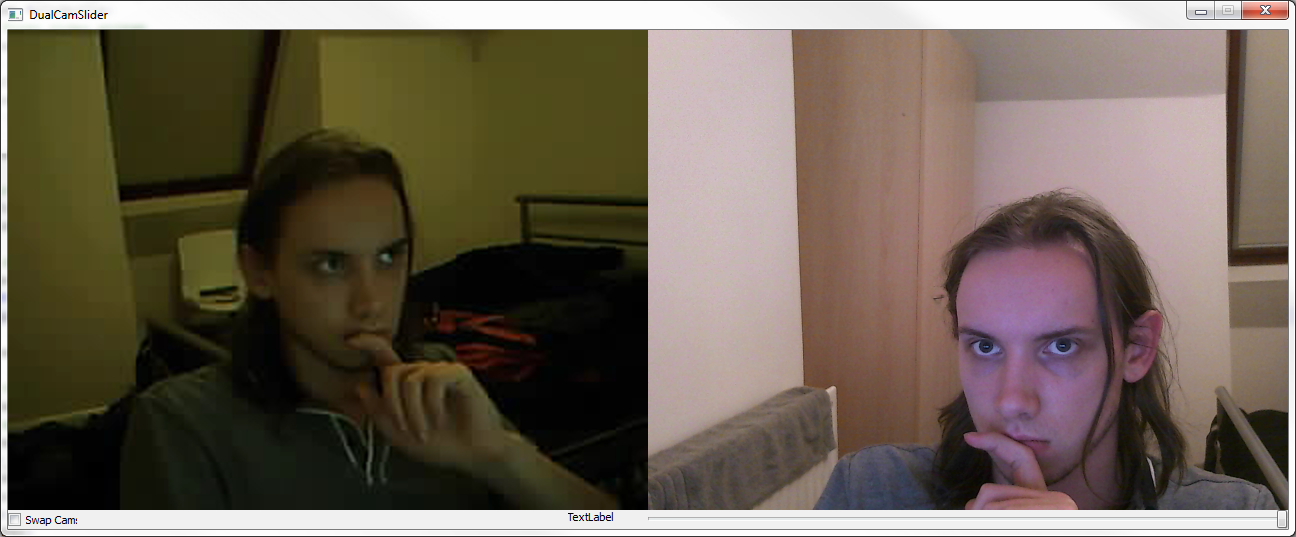
Once I've polished off and cleaned up this code I'll commit it to the main git branch.
12th November 2013
<TITLE_HERE>
As mentioned last week, this week/10-days has been a mess of parallel deadlines. I have however had time to further think about how we're going to handle maintaining real-world angles in our system. As Alex had previously stated that what we produce from our Image->Bee Vision convertor should be effectivley be passed as an array of colours/pixels that represents the image as a bee would see it (as the ommattidia are arranged in a hexagonal grid, we may need to improvise with the datastructure to best represent this). This provides us no lee way forpassing extra data, therefore presumably we simply need to use a static form of callibration that can be hard coded, as unless the cameras move the fov should remain unchanged.
I feel that using the term calibration overcomplicates the actual necessary task. We may need to do an actual form of calibration (mapping 3d coordinates of an environment to 2d image coordinates) if we reach the stage of optic flow (hopefully we should, the bee vision filters can't be too much work) as this requires more handling of the image data.
6th November 2013
Parallel Assignments
This week ended up being unproductive given the end of the Genesys mini-project, which is seemingly of comparable in size to the projects we have the rest of the year to complete, made worse by everyone initial unfamiliarity with ruby on rails. This was only the start, with 2 more assignments due Monday & Wednesday of next week.
Additionally this week we were to present our powerpoint on the Thursday, containing a synopsis of what we had learnt so far, the final target of our research and how we expected to distribute work. Honestly at this point we are still dabbling with the hardware, which leaves a few steps before we reach the 'research' element. The pptx for the presentatation can be found here.
27th October 2013
Calibration - First Steps
During this weeks meeting I agreed to start looking into camera calibration. As this is an area new to me I have a lot of reading to do. Alex suggested 'optic model' and 'lookup tables' as possible methods, so I've been looking out for these during research.
Firstly this week we had to decide on a primary image, as I had limited time until this weekend I briefly searched google images for 'camera calibration image' and the vast majority of the results were of black and white checkerboards. So I quickly produced A1 and A2 checkerboards in Adobe Illustrator, from further research this weekend I came across a Microsoft Research paper whereby they used a checkerboard where a number of the squares had been replaced with a circular symbol at different rotations. Perhaps something like this will be what we require next, as a basic checkerboard could be too uniform.
As I recieved a capture card this week, I opted to test it out with a housemates XBox. Installed on windows It worked as expected, within my Arch Linux virtual machine however I was able to recieve a single frame from it before VLC had issues (If I dragged around the VLC window the image would appear, otherwise the frame would be black). Adam had already told me that he was able to use his PS3 over Linux, but has issues with his XBox, this is presumably due to an NTSC/PAL issue which can hopefully be configured correctly via libraries. I additionally attempted to use it via OpenCV with some of Adam's python dissertation code, having no python experience, I quickly gave up after Python was refusing to import cv2 despite the cv files being in the /usr/bin/python2.7/site-packages/ dir. A friend from home eventually came back to me and pointed out that I should be running with 'python2' as opposed to 'python', this allowed me to view the XBox in Arch! I believe Adam has since ported this code to C++.
From the first papers I read on calibration; A Flexible New Techinique for Camera Calibration & a second paper by the same team. I came across the 5 intrinsic parameters of a camera, the process of calibration aims to calculate these values as part of the pinhole camera model in order to map between the 2D coordinate space of the image to the 3D coordinate space of the environment;
- 2 Parameters representing the focal length in pixels.
- 1 Parameter represents the skew coefficients between the x & y axis.
- 2 Parameters representing the principal point, this is ideally the centre of the image.
- Additional non-linear parameters such as lens/radial/tangential distortion, can be calculated by some calibration algorithms.
Much of the rest of these papers was very maths heavy and will probably be better approached after I've gained a clear understanding of the pinhole camera model. What did stand out was in their evaluation they looked at the variation between calibration results from different sets of images of the same calibration pattern. This should be an easy to carry out evaluation we can use ourselves to test our calibration algorithm once implemented.
Next i looked at A Four-step Camera Calibration Procedure with Implicit Image Correction, this paper covered much the same maths as the previous pair. From this I can tell that I'm going to need to find an existing calibration algorithm so that I can sit down and match the maths contained in these papers to strenthen my understanding of the process.